For small payments and remittance teams
Keep your customer
list under review.
Screen customers for sanctions and PEP matches through the API or a CSV upload. Review potential matches, keep the evidence behind each decision, and re-screen the portfolio daily or weekly on a paid plan.
Free evaluation. No card required.
Read the AML screening API quickstart →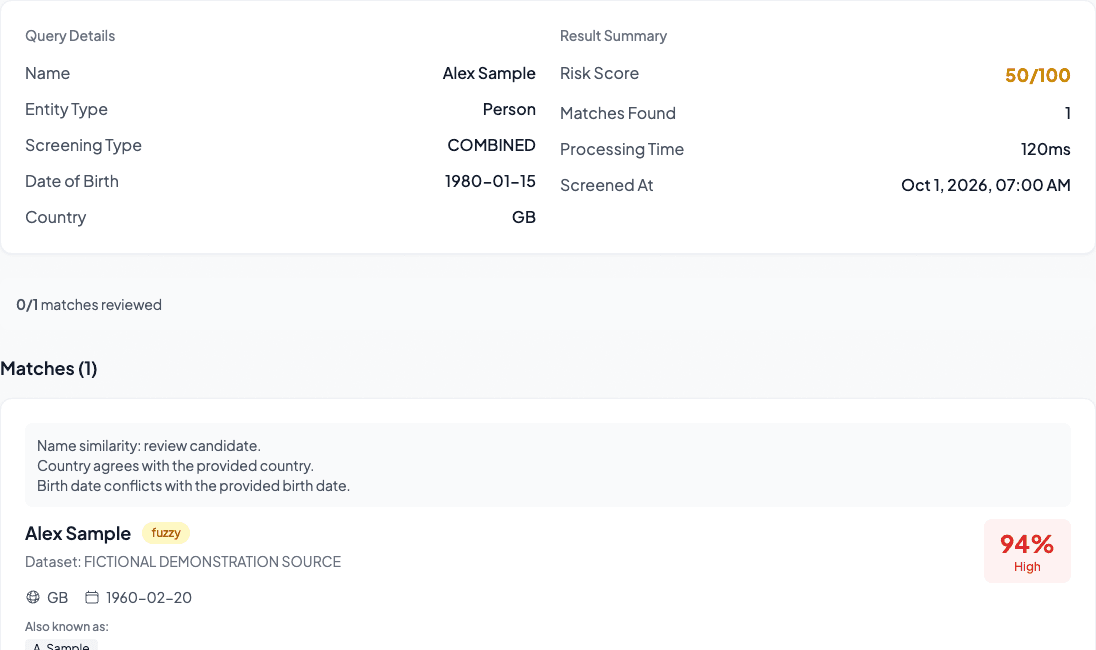
Actual app views. Fictional customer and source records.
For the compliance lead
From scattered checks
to a review you can explain.
If your customer checks and review notes live separately, follow-up means retracing the work. Keep the customer, the decision, and the next check connected.
| When records live separately | With CirclesCheck |
|---|---|
| A CSV and separate review notes | Customer references link checks and decisions. |
| Search for the last reviewer's reason | Open the customer's history and recorded reason. |
| Arrange the next check yourself | Choose paid daily or weekly monitoring. |
A reviewer's workflow
A customer check.
A decision you can trace.
Meet Alex Sample. One fictional customer,
shown in the actual CirclesCheck app.
Potential match · compare identifiers
Which customers need a closer look?
Alex Sample returns a potential name match. Compare the customer’s identifiers with the source record: the birth date conflicts, so the name alone cannot settle the review.
Screen a customer CSVAfter the onboarding check
Check the list again.
Review what changed.
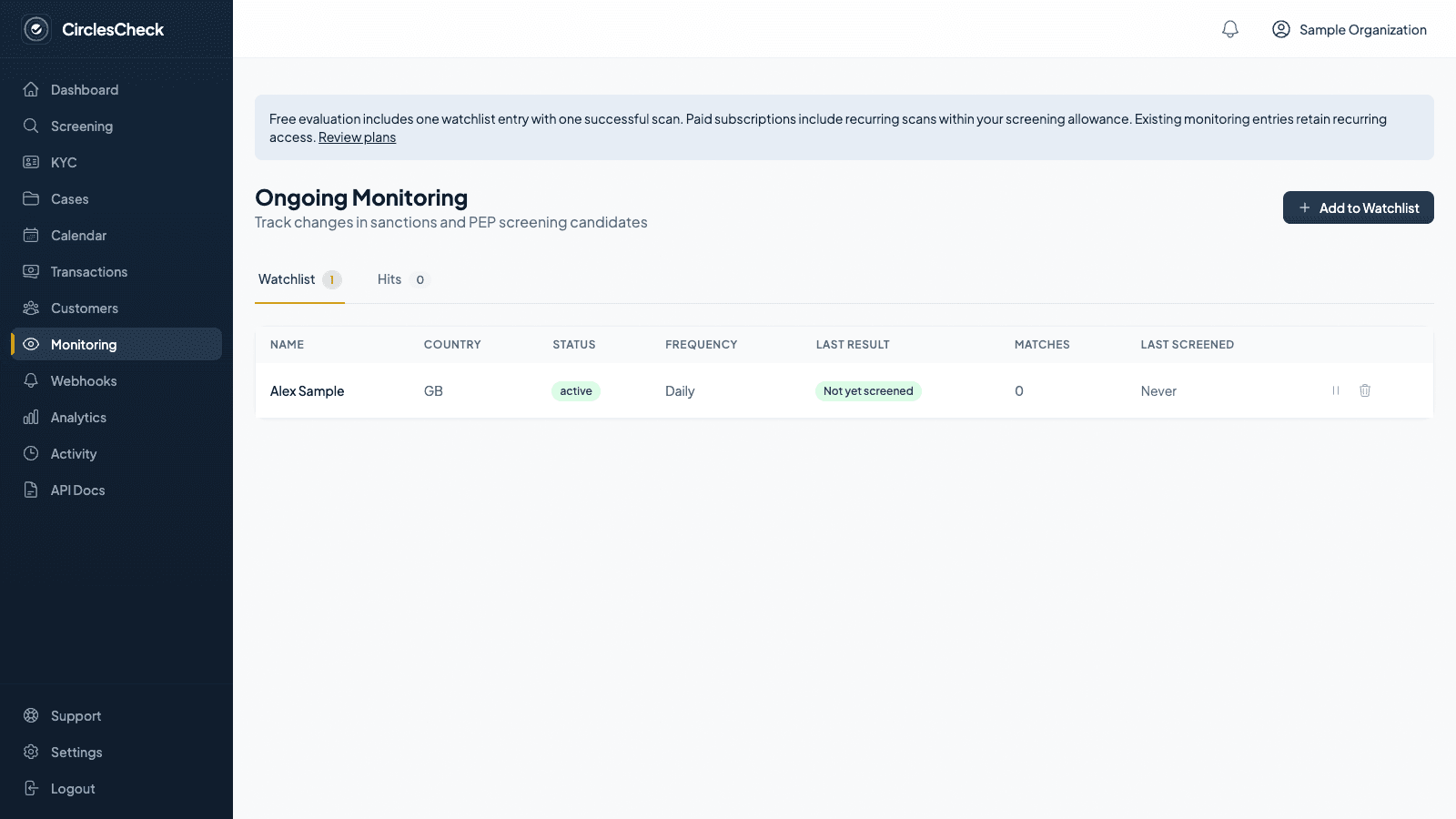
Choose daily or weekly re-screening for customers on your watchlist. Review changed candidates, then retrieve the earlier screening when you need the previous reviewer's reasoning.
- 01Screen the customer list
Review potential matches and check unfinished rows.
- 02Record who reviewed each match
Save the decision and the reason with the screening.
- 03Review new monitoring findings
Recurring checks flag changed candidates for your team to assess.
When a colleague asks for the evidence
The check. The reviewer.
The reason.
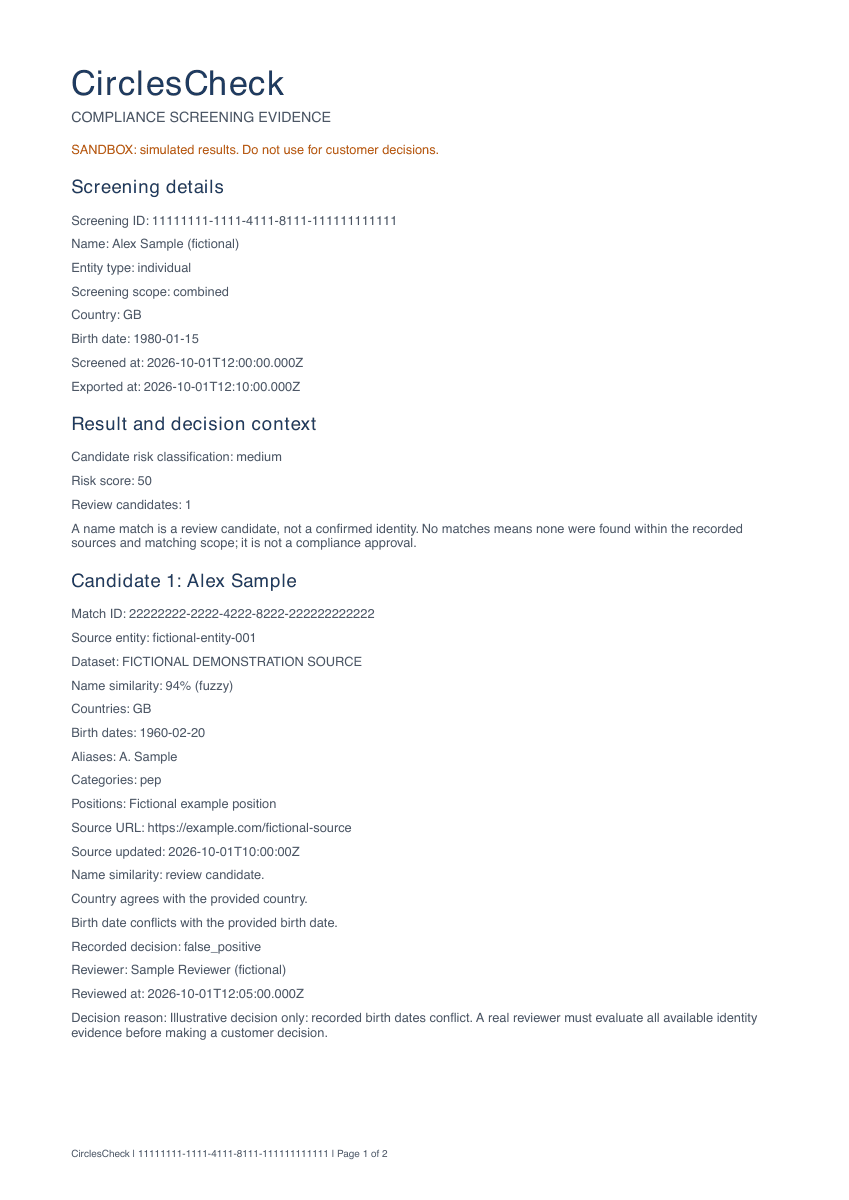
Open the screening report with source evidence, the recorded decision, and reviewer notes. Your colleague can inspect how the match was resolved.
Open the sample reportBefore you choose a monitoring plan
Budget for this month's
customer checks.
Count the initial customer list, recurring scans, and new onboarding checks against one screening allowance. See which paid plan fits the work.
Estimate monthly monitoring workload
planned screenings in the first month
- Initial screening
- 100
- 100 customers × 4 re-screening runs
- 400
Starter fits this workload.
$79.99/month. 1,000 screenings included. Other live API, manual, and batch screenings use the same allowance.
Evaluate, then review Starter →Planning example: 4 weekly or 30 daily re-screening runs, plus one initial screen per customer. Actual usage varies with calendar length, added customers, and other checks. Free evaluation covers one watchlist entry and one initial scan; recurring monitoring requires a paid plan. Current availability and price are confirmed in billing before payment.
Test the work your reviewer does
A customer CSV.
A decision you can retrieve.
Try fictional customer data, save a match decision, and open the report. Then estimate the allowance for re-screening your portfolio.
Have a CSV? Explore batch screening